 Delete Your Account
Step 1: Access Account Settings
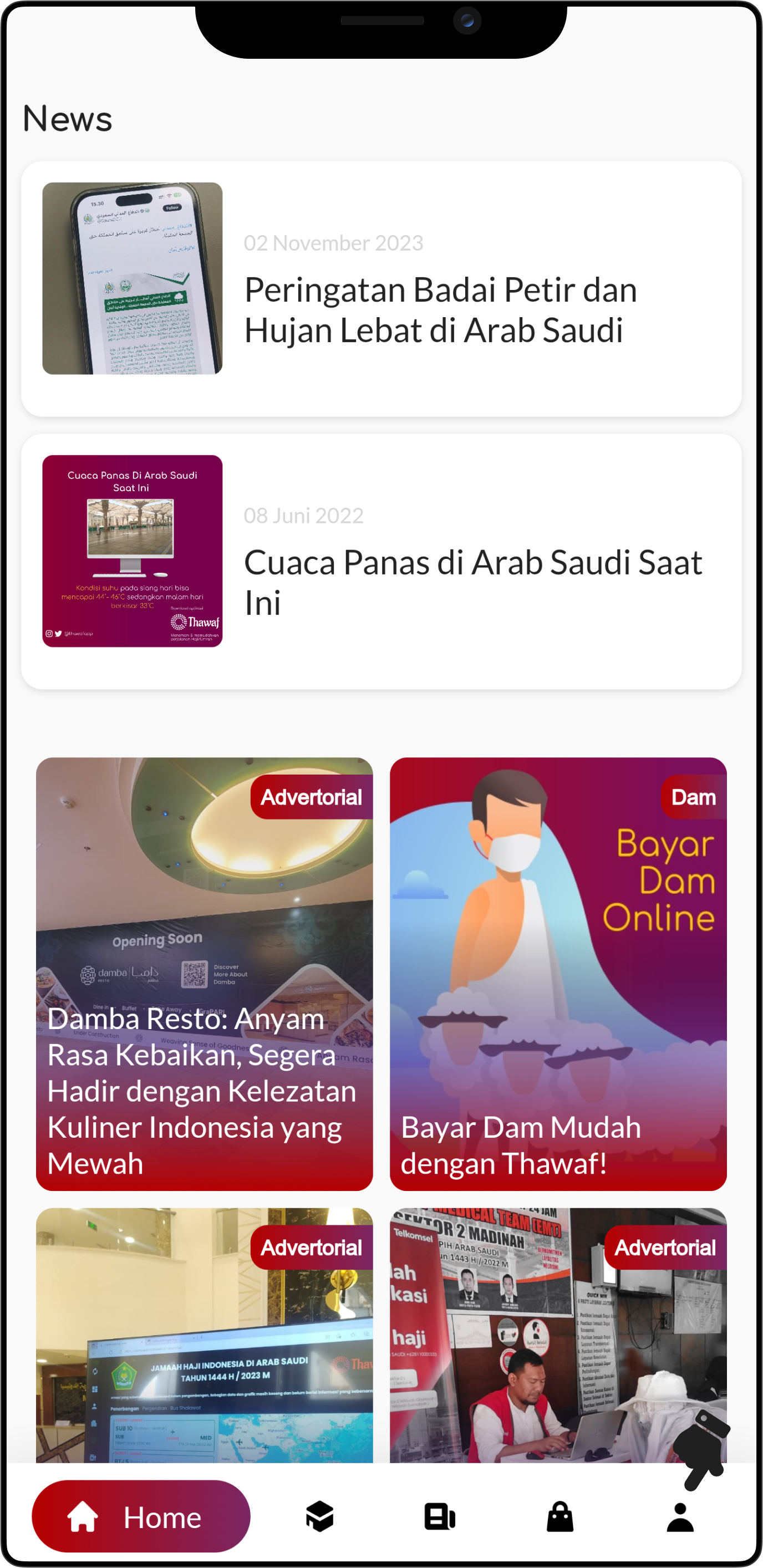
Go to your account settings by tapping on the profile icon in the bottom right corner.
Step 2: Delete Account Option
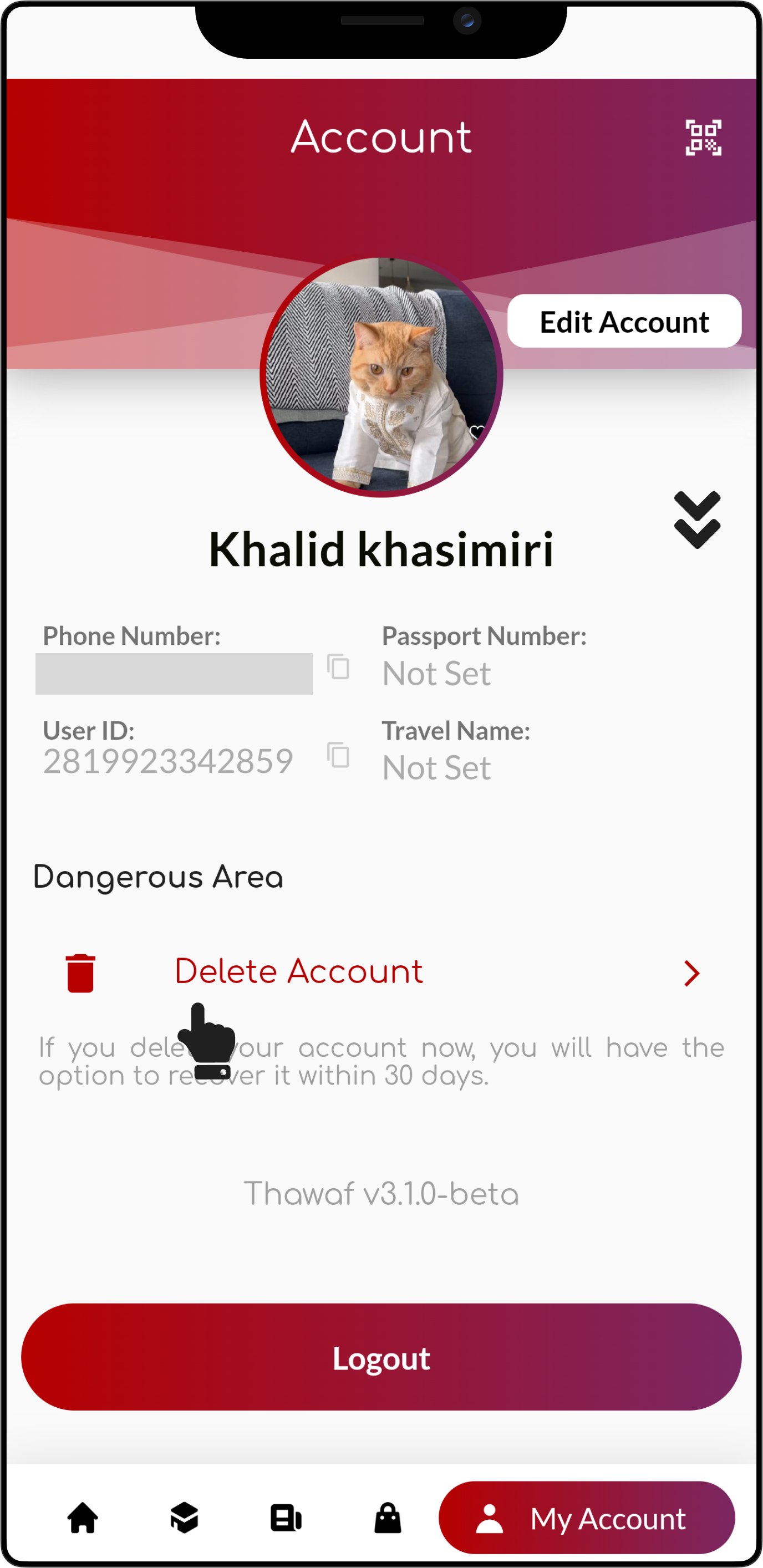
Scroll down to the bottom and click on "Delete Account".
Step 3: Select An Option
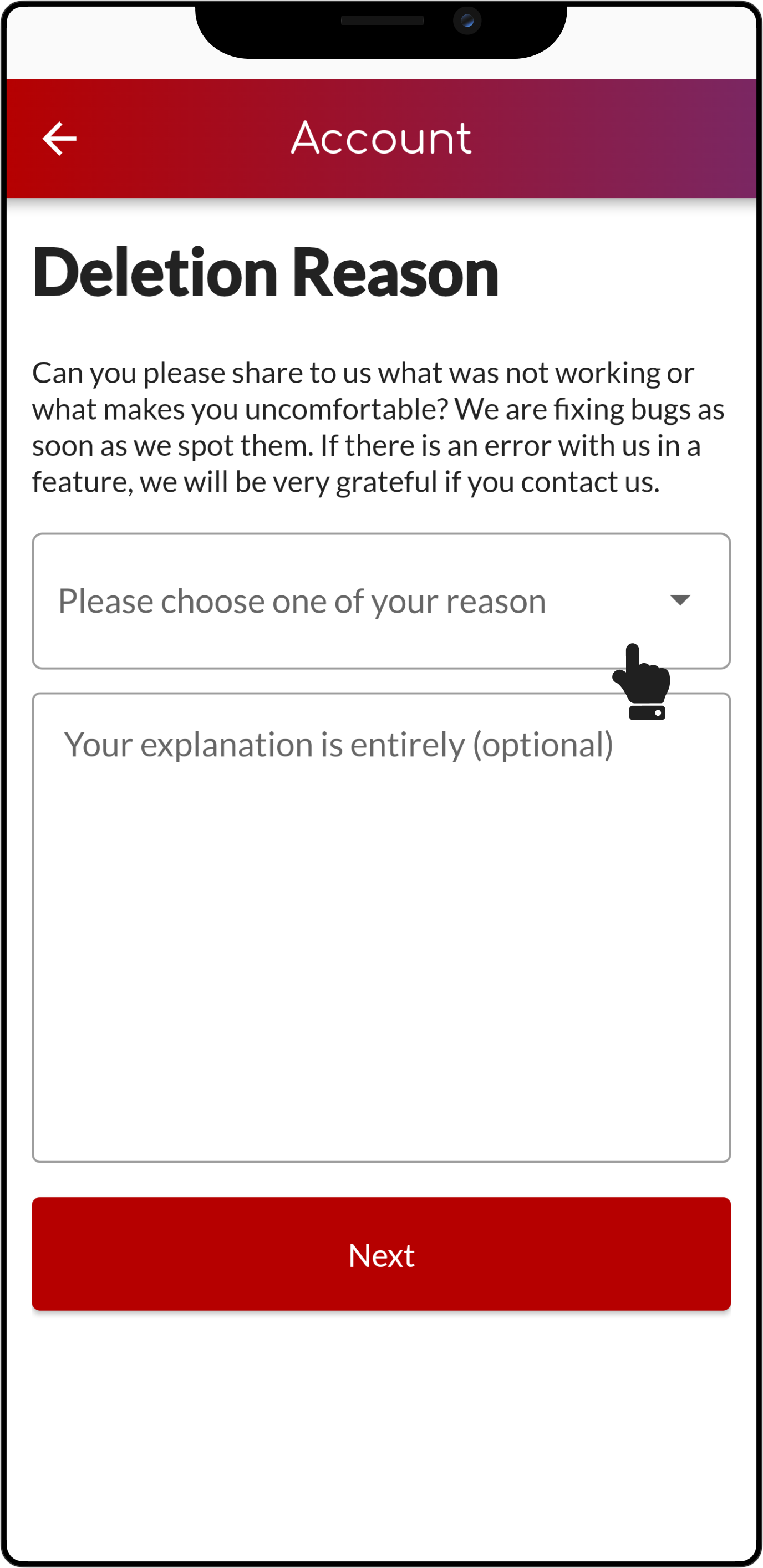
Click the option button, after which you will be prompted to choose from several reasons for deleting your account.
Step 4: Choose A Reason
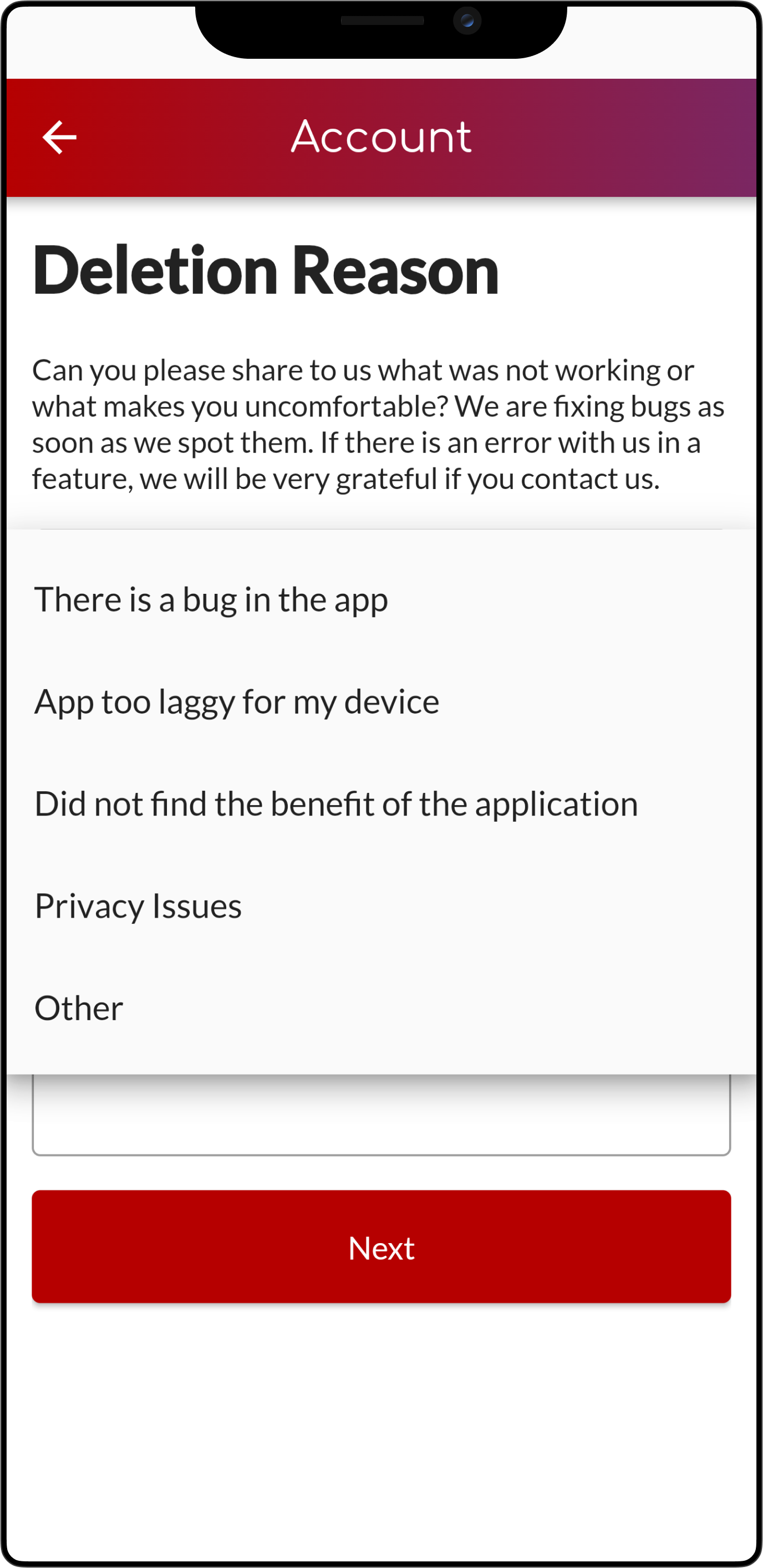
Please select a reason why you wish to delete your account. It is expected that the reason aligns with your complaint.
Step 5: Select A Reason
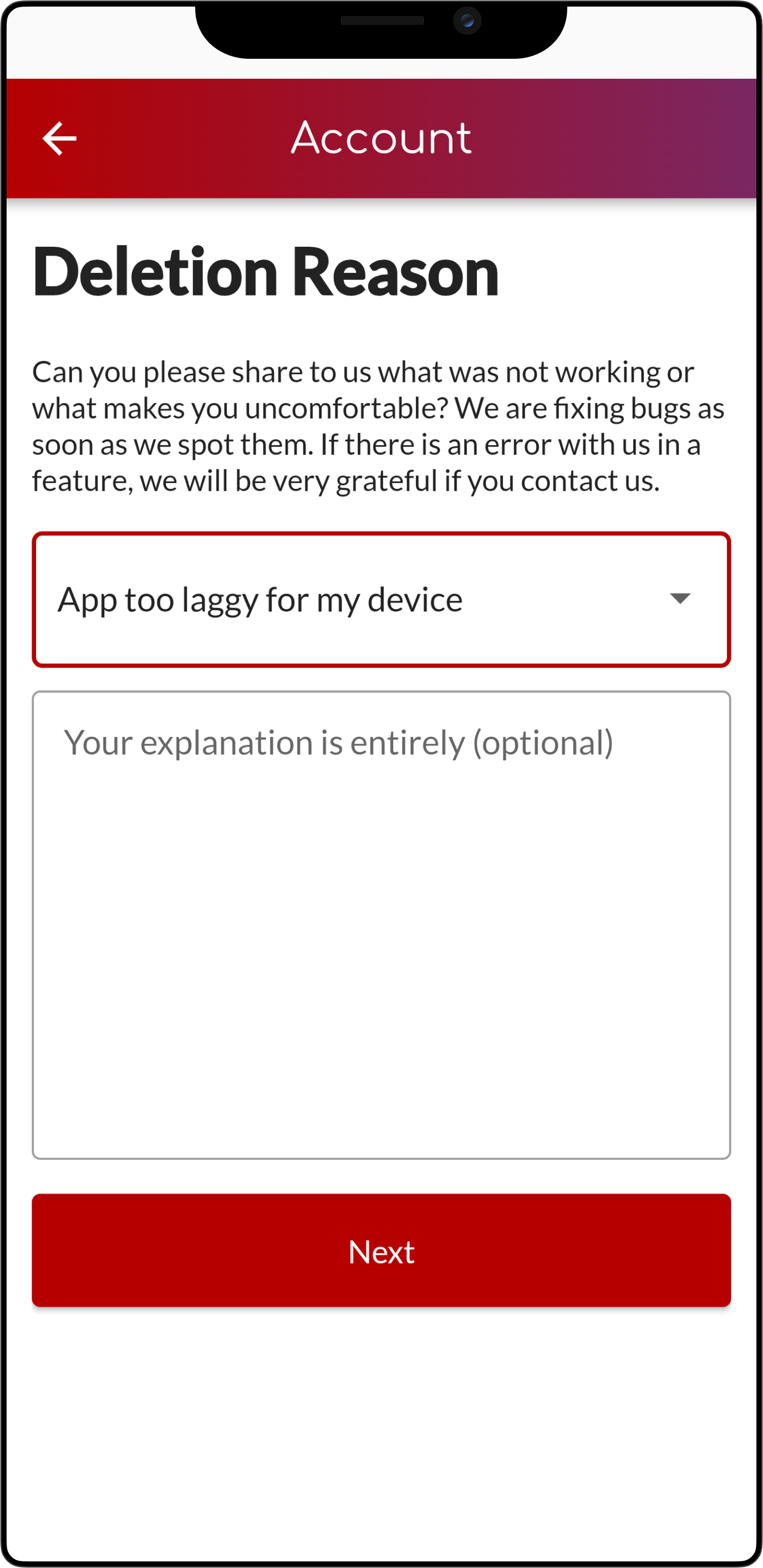
After you click on the option that will be chosen as your reason, the button will display it. If you wish to proceed, then click the 'Next' button.
Step 6: Write A Description (optional)
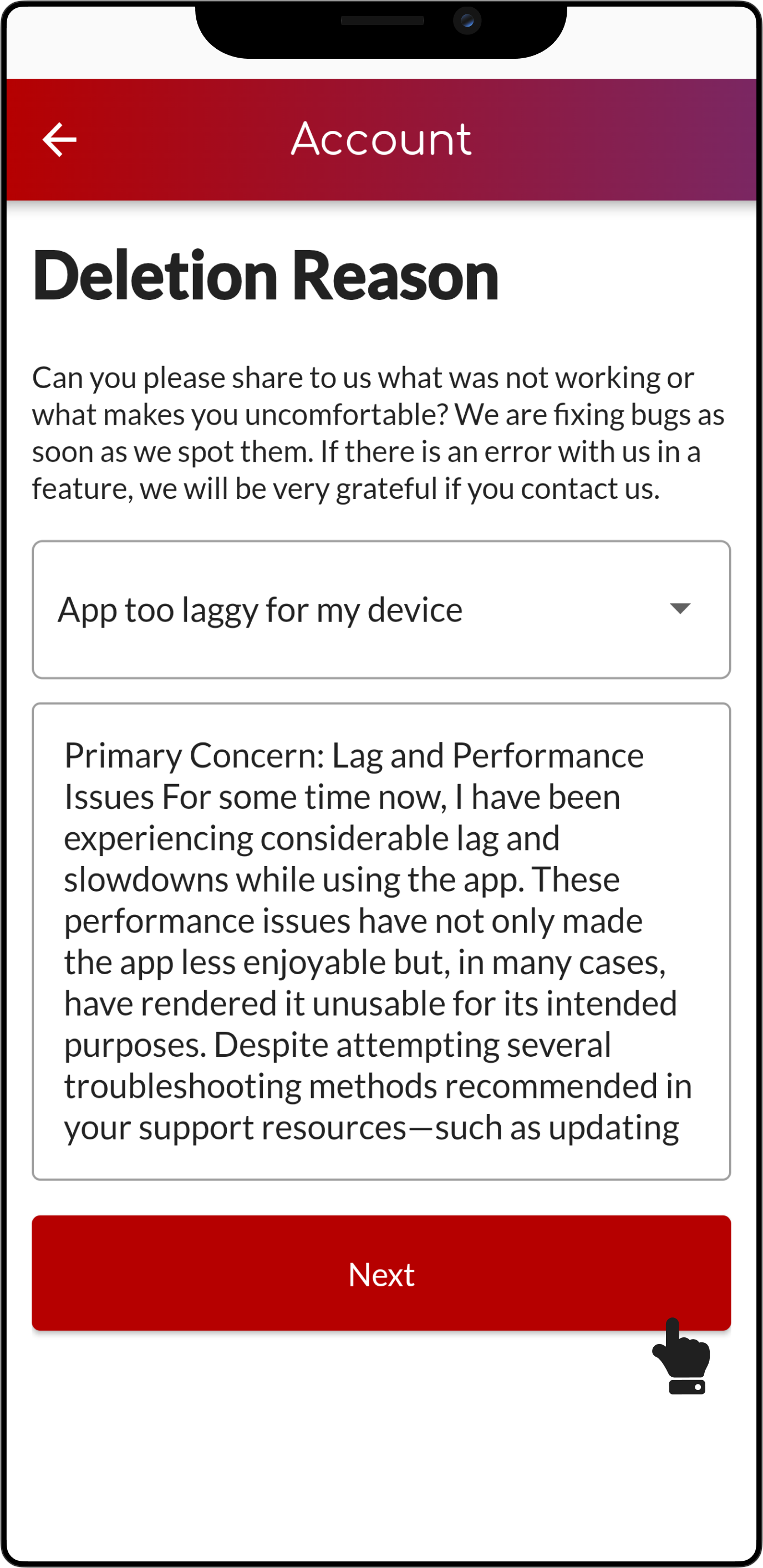
If you wish to add a description explaining why you want to delete your account, you may write it below the option button. If you wish to proceed, then click the 'Next' button.
Step 7: Deletion Information
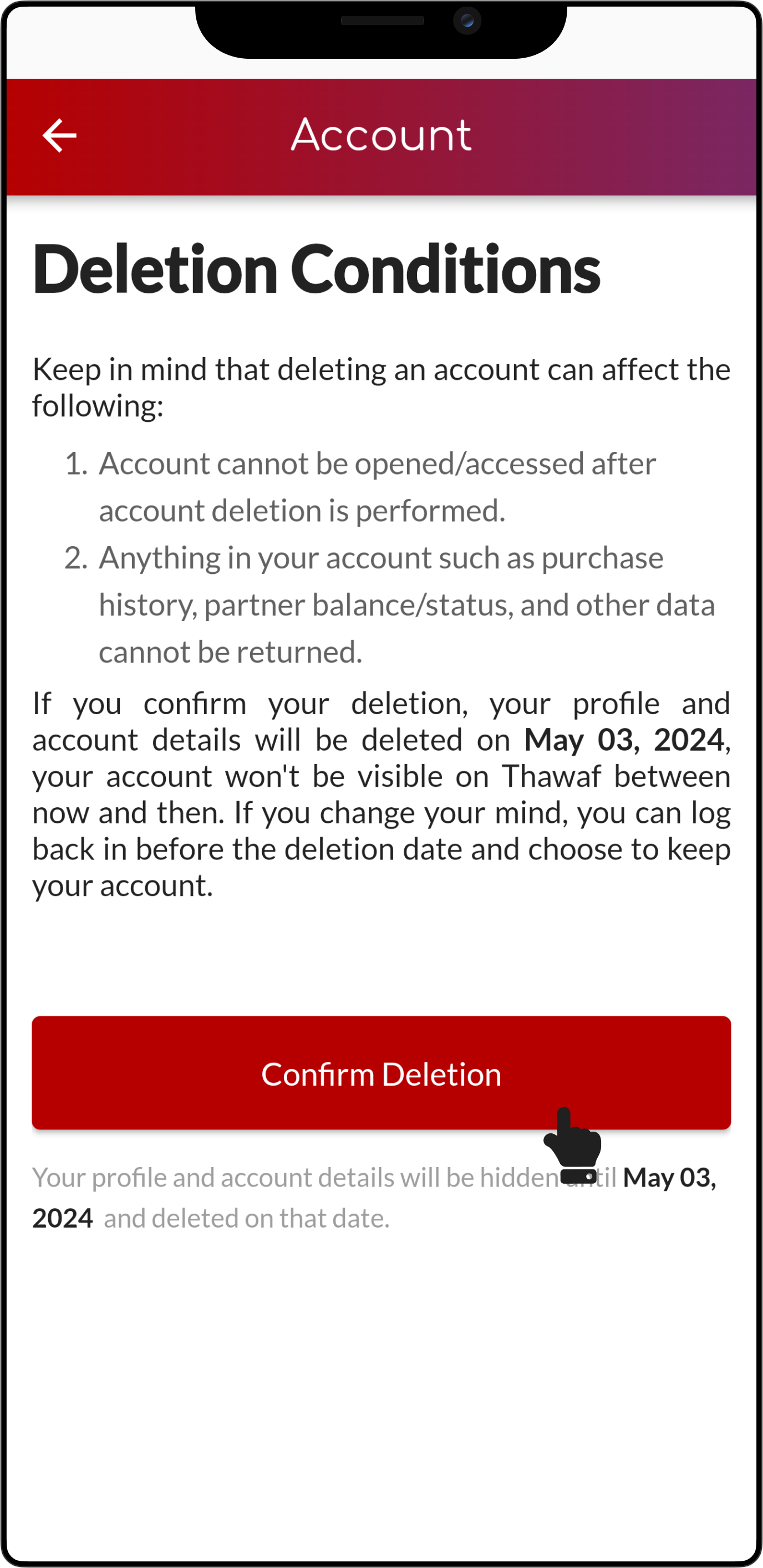
Please note before confirming deletion, it is advised to re-read the terms and conditions provided. If you wish to proceed, then click the 'Confirm Deletion' button.
Step 8: Deletion Confirmation
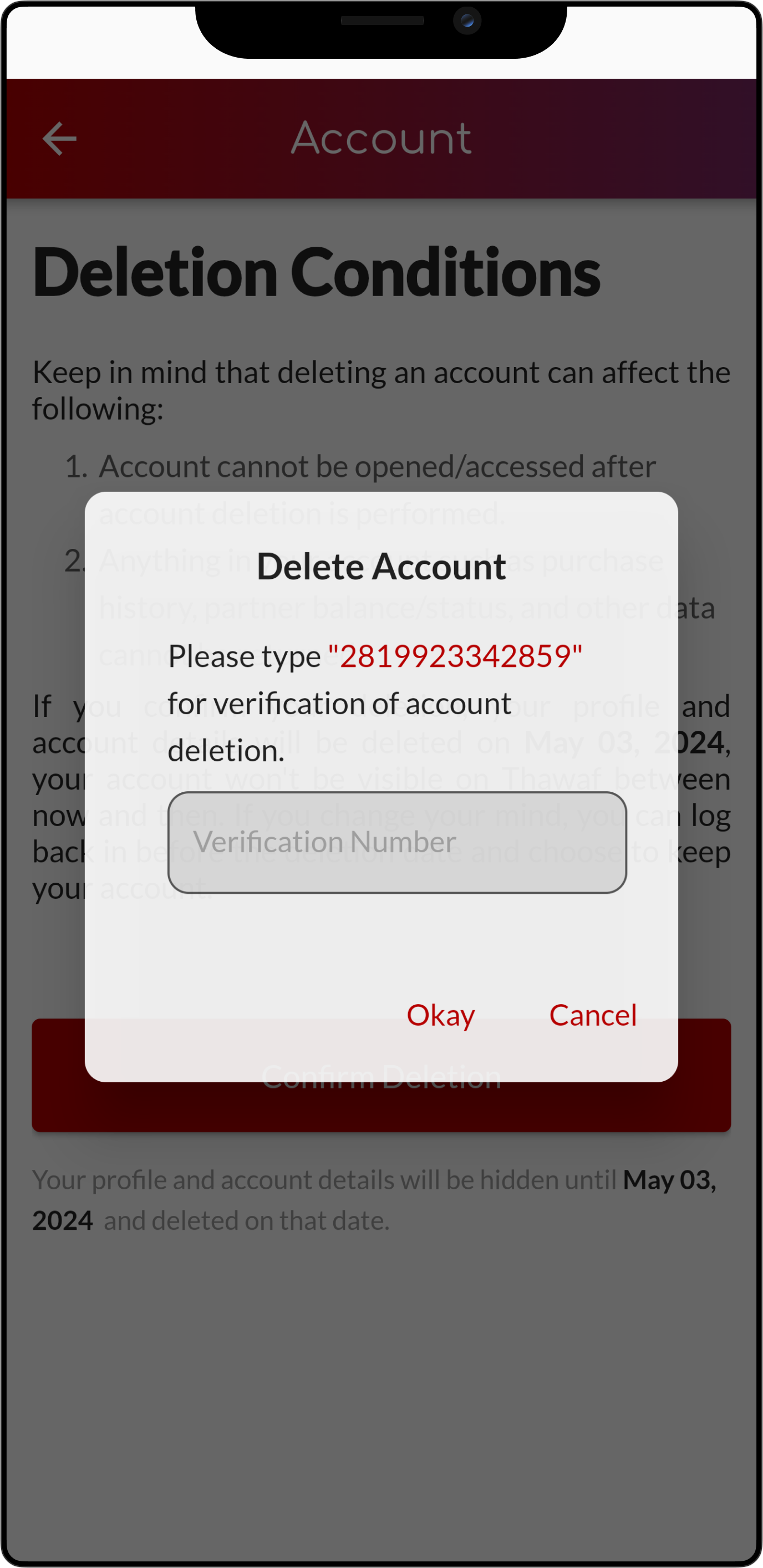
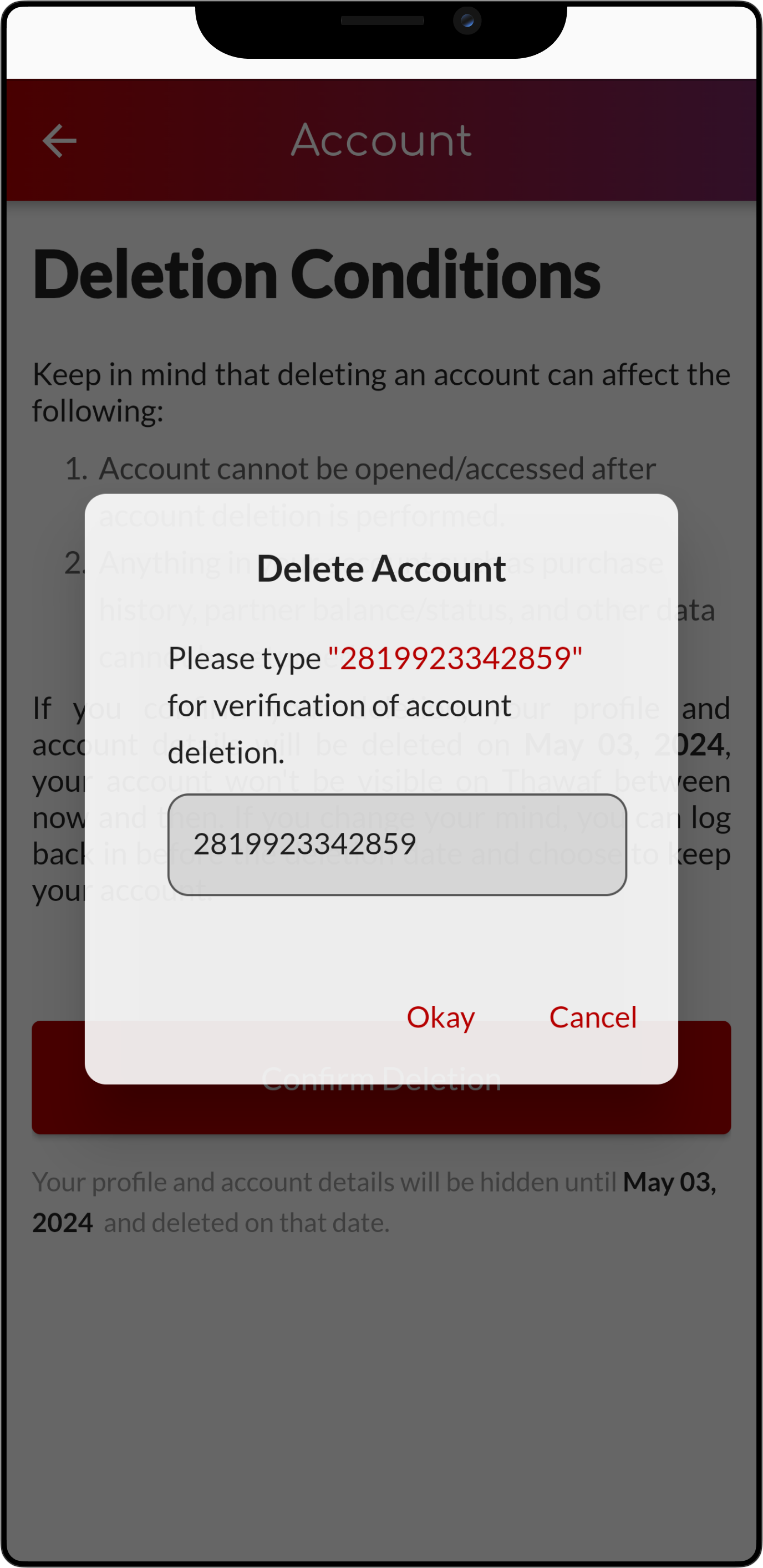
Type your user ID into the provided input field to verify your ID and simultaneously confirm the deletion of your account. If you wish to proceed, then click the 'Okay' button.
Step 9: Deletion Status
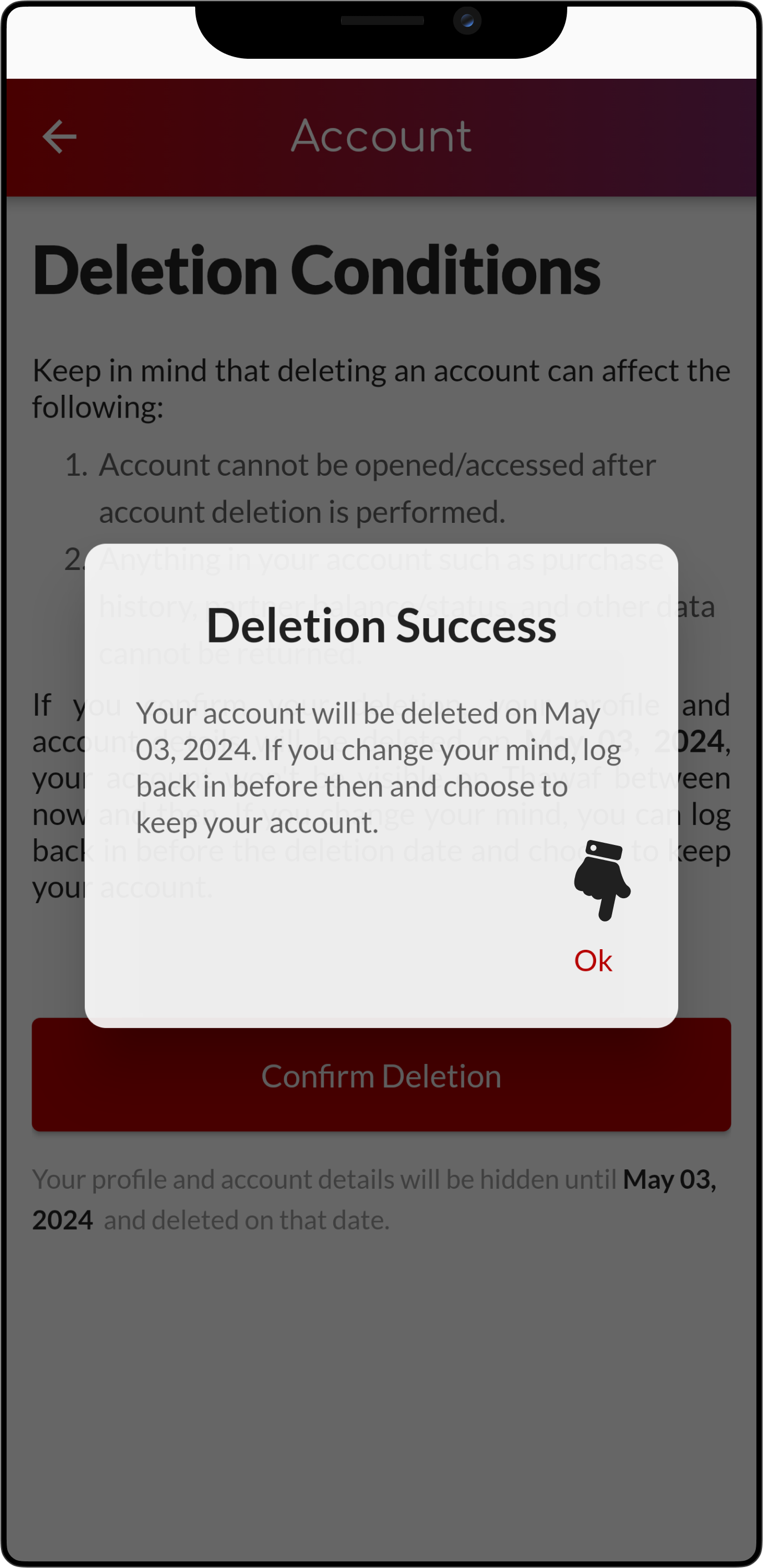
If all processes have been completed smoothly, a success status will appear. Then click 'Ok' button to proceed
Automatic Logout and Return to Login Screen
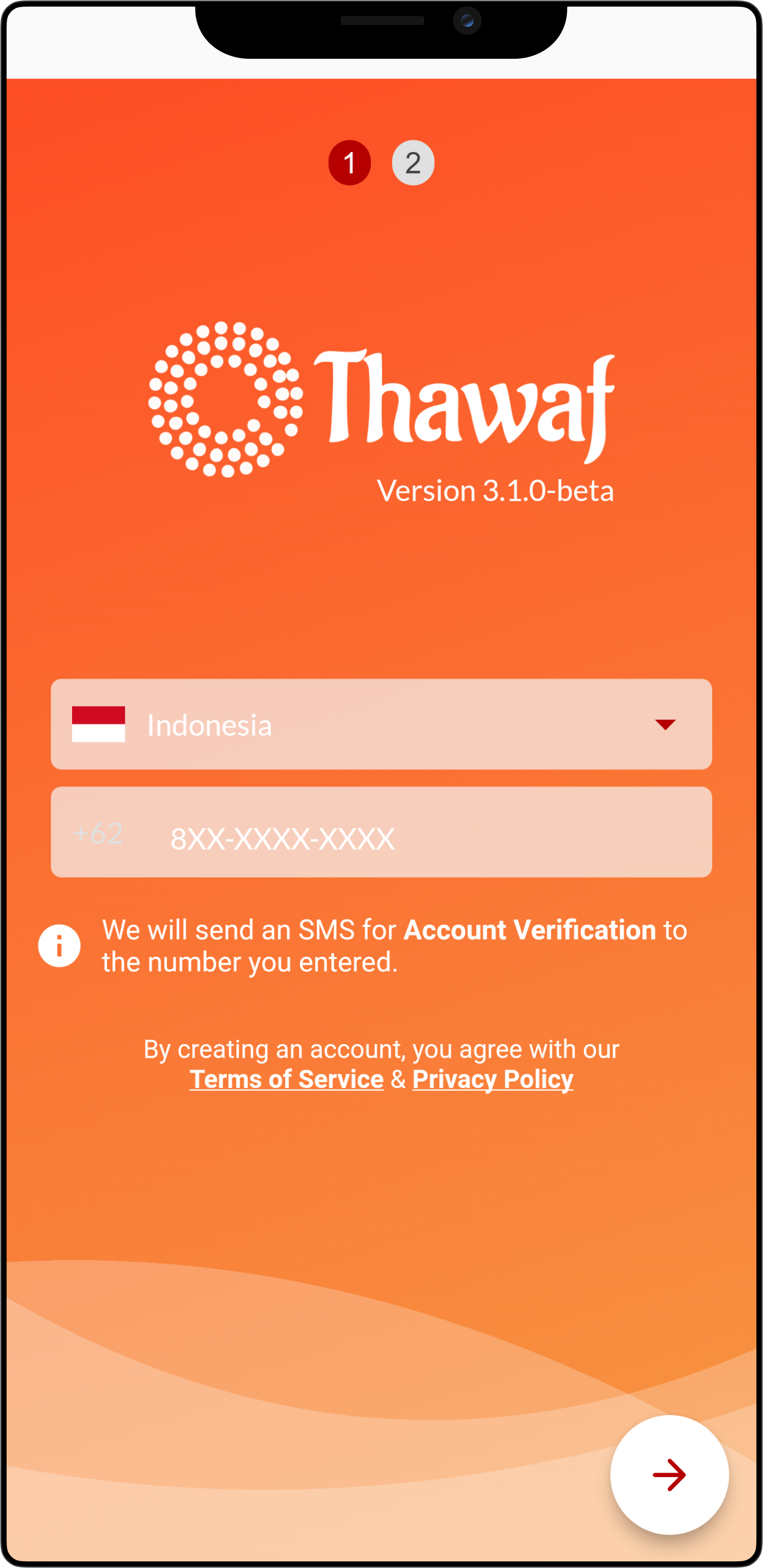
After confirming the deletion of your account, the application will automatically sign you out as a final step in the account deletion process. You will be redirected to the login screen, where you can register for a new account if you choose to return to Thawaf in the future. Please remember that if you log back in before your account is permanently deleted, you may have the option to cancel the deletion process.